
When using ChatGPT, it is very important to understand how your chats and files are stored and managed. Knowing how long data is retained and how to delete it not only allows you to safely and efficiently manage the information you need, but also protects your privacy.
In this article, we will explain in detail the retention period of chats and files, how to delete them, and precautions for data management.
Please refer to the article below for instructions on how to delete images generated by ChatGPT."What is ChatGPT's image library? Explaining how to save and delete images"
table of contents
Chat retention period and management methods
ChatGPT manages chat data based on clear policies. This gives users peace of mind about data retention and deletion.
Storage period
Chats remain in your account until you delete them. Therefore, you can review the chats you need at any time. However, deleted chats will be handled according to the policies described below.
Post-deletion processing
Deleting a chatPermanently removed from the system within 30 dayswill be done. However, some data may be retained for legal and security purposes.
Deleted chats cannot be recoveredis. Therefore, we recommend that you back up important information separately.
Utilizing the archive function
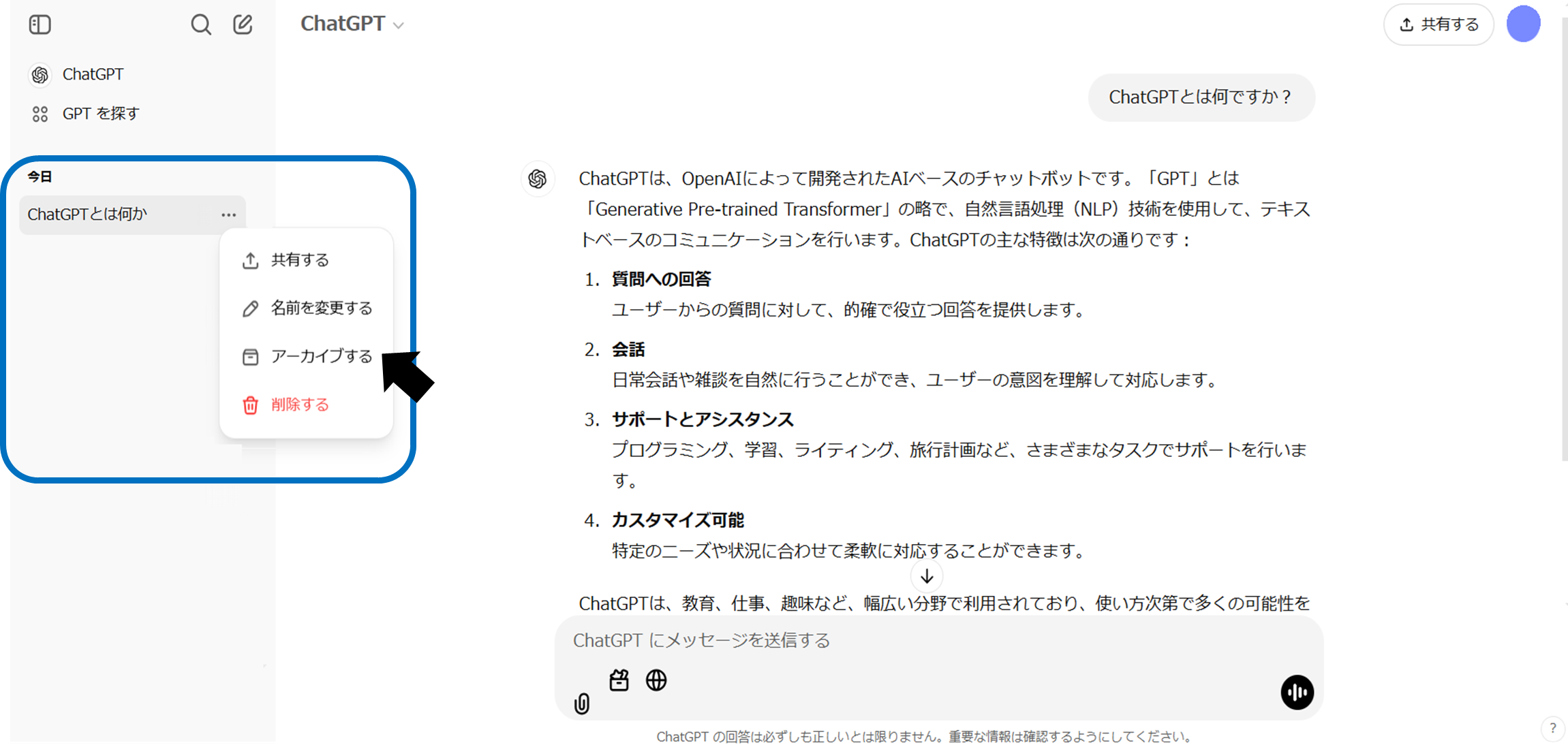
If you want to temporarily hide it from the history, use the "Archive function"is convenient. Archived chats have the same retention period as regular chats and are retained until deleted.
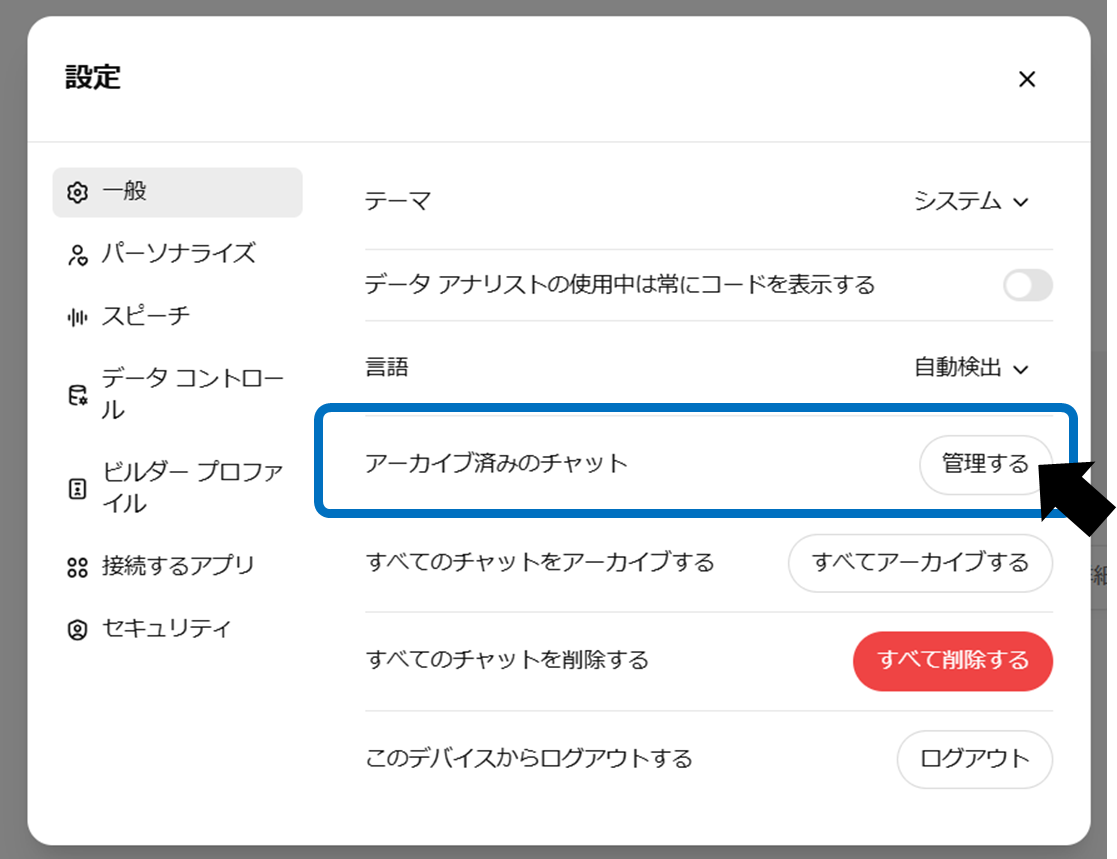
If you want to manage your archives, click Manage under Archived Chats on the General tab of Settings.
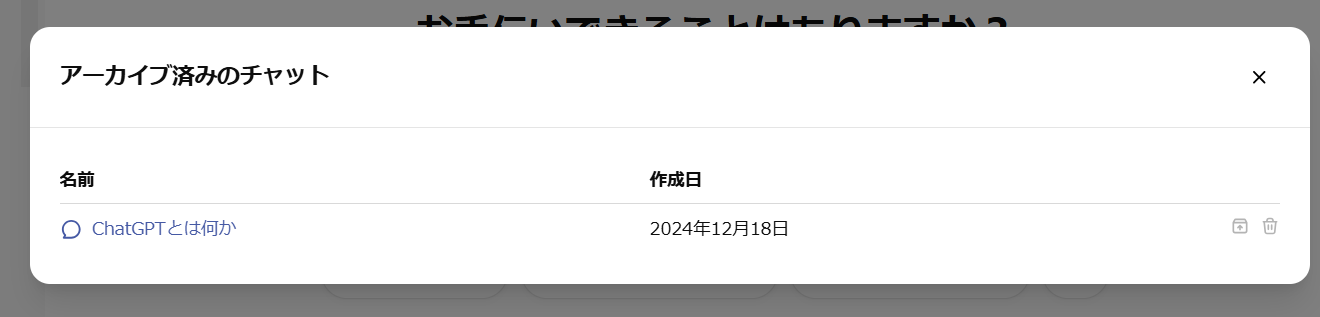
A list of archived chats will be displayed. Please unarchive or delete the chat if necessary.
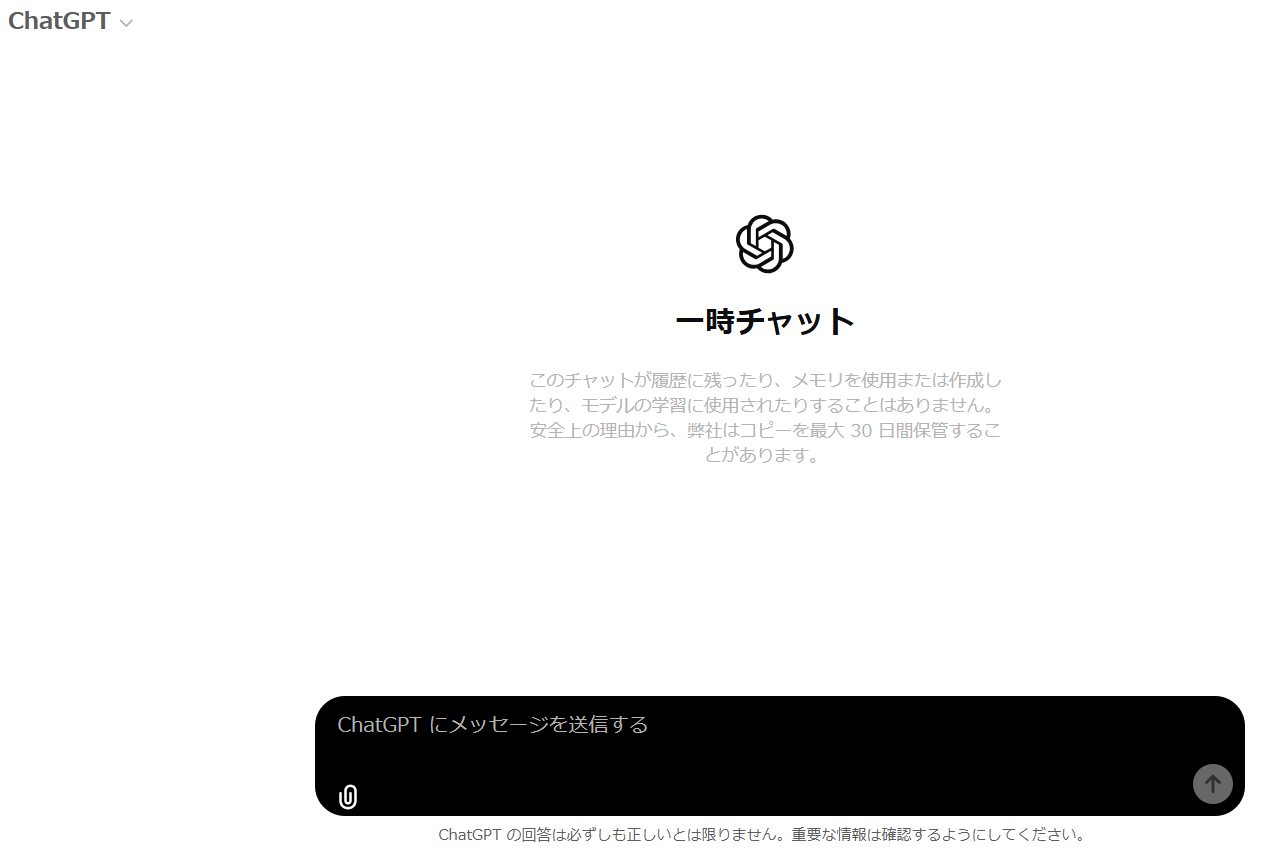
About temporary chat
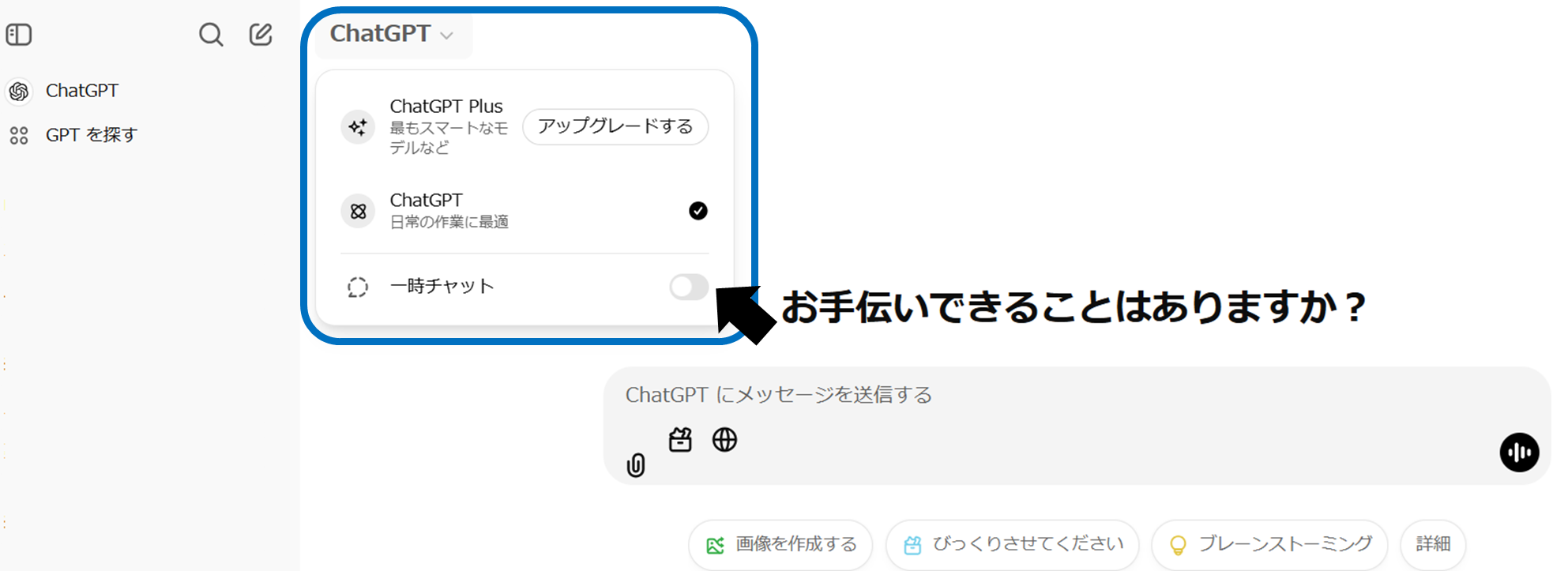
With "Temporary Chat", chat data is automatically deleted within 30 days.will be done. This feature is suitable for short-term interactions, especially when privacy is important.
File retention period and deletion method
ChatGPT clearly stipulates the retention period and deletion method for uploaded files. This makes data management easy and secure.
Storage period
uploaded to regular chatFiles are linked to the retention period of the corresponding chatI will. Files uploaded to GPTs areRetains until GPTs are deletedwill be done.
Post-deletion processing
Deleting chats or GPTs also deletes associated files.Delete from system within 30 dayswill be done.
Even if deleted, some parts may be retained for security purposes.
Specific steps for deletion
By deleting the relevant chat or GPTs, the uploaded files will also be automatically deleted.
If you reach the file usage limit (e.g. 10GB), you can manage it by organizing old chats and files.
Notes on data management
In order to use ChatGPT safely and efficiently, it is best to be aware of the following points.
Security support
Deleted data alsoWhen retained for a certain period of timeThere is. However, this is only for legal and security purposes.
Privacy protection
To protect your privacy, be careful not to upload more personal or sensitive information than necessary.
Policy for business users
For users of ChatGPT Enterprise or API, uploaded data will not be used for model training.
summary
By understanding ChatGPT's data management policy, you can use the service with confidence.
Please keep in mind the following points.
Storage period
Chats and files remain active until you delete them, after which they are permanently deleted from our systems within 30 days.
Archive function
Hide chats to organize your history and keep the data you need.
file management
You can also organize your files by deleting related chats and GPTs.
Manage your data properly and use ChatGPT safely!